Reception and queue
Starter includes appointments, arrivals and doctor-and-room queues, with a patient status link and a waiting-room screen.
Starter
We use the cookies this site needs. With your permission we also use Google Analytics to count visits anonymously. No advertising or tracking cookies. Change this any time from the footer. Read our Privacy Policy.
For doctors and clinic teams
Patients know where they stand in the queue. Your team knows what's next. Start with reception, keep your pen, and add records, pharmacy or inpatient care when you're ready.
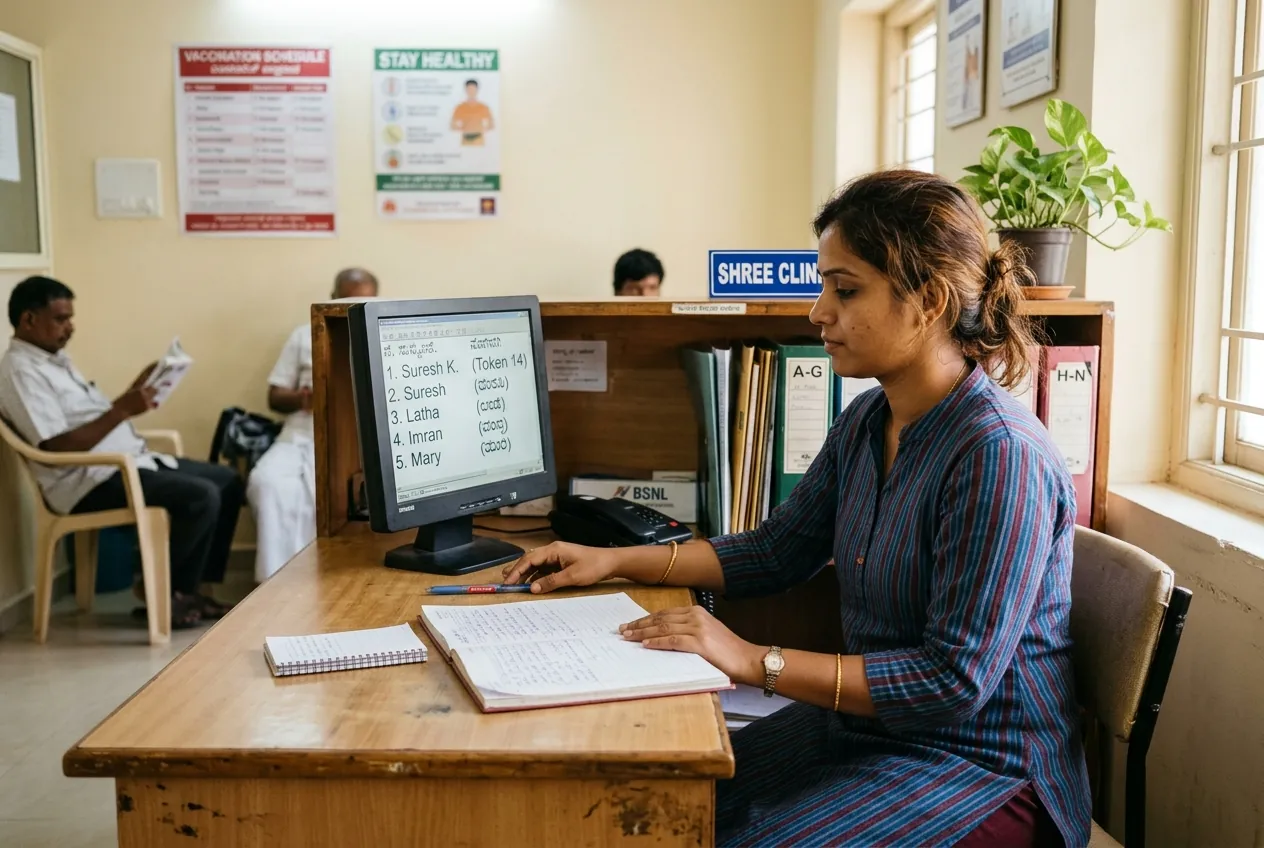
 Built around the people coordinating care. Mahima Shalot, Medlion co-founder.
The waiting room, live
The "how long will it be?" calls stop when patients can see for themselves. These are the real screens, shown with sample data.
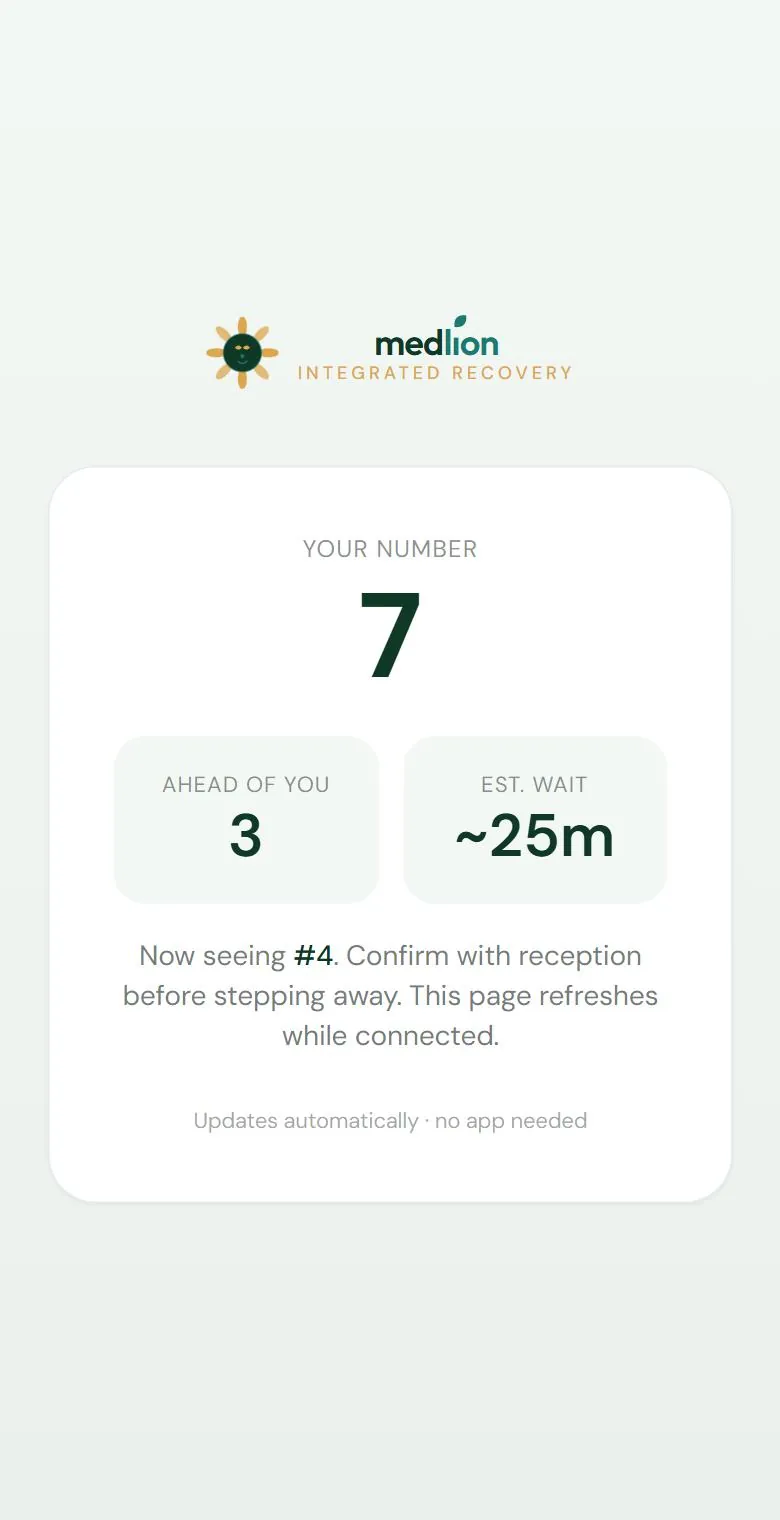
On the patient's phone
Patients open a link. No app and no login. They see their number, how many are ahead and who is being seen. Sample data.
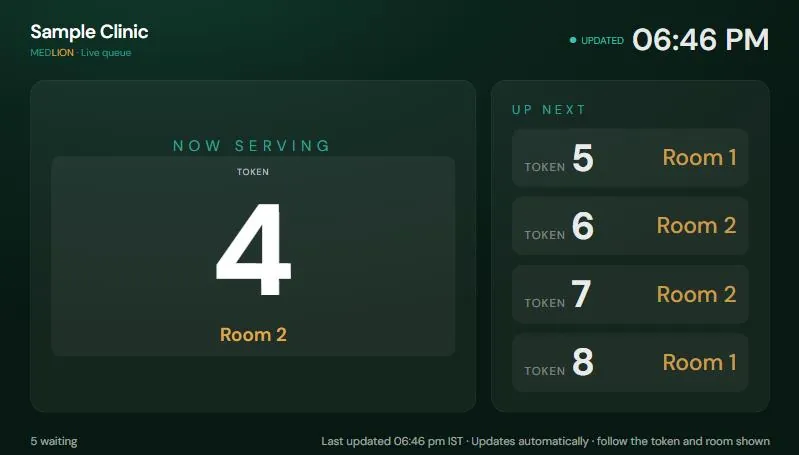
On the waiting-room screen
A screen in your waiting room shows who is being served and who is next, with the room for each. Sample data.
Start where your clinic is today
Start with reception and the queue. Add patient records, consultation notes and follow-ups as your team is ready. A walkthrough shows what fits your existing process.
Every doctor has their own account. Reception, nursing and pharmacy staff sign in as themselves with only the duties they need. Associated doctors work within the clinic they are authorised for, and clinic cases stay with the clinic when an association ends. Registered clinicians keep clinical decisions.
From arrival to follow-up
Every step has an owner, so nothing waits on someone's memory.
Step 1
Add expected visits and walk-ins, check patients in and send each to the right doctor and room.
Step 2
Call next, finish the visit or take a break. Reception and the doctor see the same queue, so nobody watches a cabin door.
Step 3
See the patient's permitted history, record vitals and notes, and prepare prescriptions.
Step 4
Backbone adds local lab orders and results. Pharmacy work and clinic follow-ups need their own approved setup.
Step 5
With the Clinic Billing add-on, prepare the receipt and track payment for the visit. Your clinic's finances stay private to your clinic.
Step 6
See what is outstanding and mark it closed. Wider care coordination is optional and separate.
Grouped by the work your team does. Each part is tagged with the plan that includes it.
Starter includes appointments, arrivals and doctor-and-room queues, with a patient status link and a waiting-room screen.
Starter
Starter brings the clinic-scoped patient record, vitals, notes and E-prescriptions. Prescription scanning is a separately reviewed option until Network includes it.
Starter · scanning: reviewed add-on
Backbone adds local lab orders and results. Network includes the Pharmacy module, subject to its operational setup and licensing checks.
Lab: Backbone · Pharmacy: Network
Growth includes OPD + IPD, with beds, nursing notes and emergency care. Network adds theatre. Clinical and facility checks still apply.
Growth OPD + IPD · Network
Clinic Billing is a separate add-on through Growth and is proposed in Gateway. Network lists insurance claims, subject to clinic setup and approvals.
Clinic Billing add-on · Insurance: Network
Give each person only the duties their work needs. Review permitted activity and audit views. Staff sign in as themselves, never with a shared doctor's password.
Backbone
Switch parts on as you grow. Turn a part off and your records stay. Some parts ask you to finish open work first.
Choose your starting point
Create your clinic setup, then review the package and price with Medlion. Practice access begins when your agreed package is activated.
Prepare your clinic before a paid package
Create your doctor account, request Clinic OS and prepare the clinic profile after review. No clinical work, trial or charge starts from setup alone.
Start clinic setupDoctor-only OPD
Patient registration, appointments, arrival and queue, consultation notes, vitals and E-prescriptions. The patient status link and waiting-room screen support the queue. Clinic Billing is a separate add-on.
Ask about pricingClinic team · OPD
Everything in Starter, then Digital Reception, a nurse workflow, role-based staff access, local lab orders and results, and one approved supplier connection. Clinic Billing remains a separate add-on.
Ask about pricingOPD + IPD
Everything in Backbone, then inpatient beds, emergency care, incident records and a limited learning connection. Up to three approved supplier connections are included. Other modules still need their own setup.
Ask about pricingConnected clinic modules
Everything in Growth, then up to five approved supplier connections and Pharmacy, theatre, insurance, online booking, prescription scan and ABHA/ABDM modules. Each still follows its operational setup checks. Medlion support and hiring remain separately reviewed.
Ask about pricingIncluded add-ons with separate readiness checks
Everything in Network, with Clinic Billing, payment gateway and consented reminders proposed in the package. Provider connection and Medlion review still determine what can operate. The upcoming features below are not live package commitments.
Coming soon
Prefer a form? Request a clinic walkthrough and we will talk through plans and pricing with you.
Android · Demo beta
Explore the clinic day, patients and care cases using sample records. Live access is locked. Do not enter real patient information.
Version 1.2.5 · build 125 · 34.4 MB · Android 7 or newer · ARM64 phones
SHA256: 64719c72f447d805c5c6a63b790945a0a7e5c92cc194d39ce386995ff8e33cb9
The demo does not start a clinic subscription. Clinic practice access follows your agreed package and Medlion's activation.
Patient records, encounters and doctor-and-room queues for your own team. Backbone adds local lab work; Clinic Billing adds bills and receipts.
Coordinate with your own partners, or apply separately to join Medlion's evaluated network. Clinic software and network participation are separate choices.
In development. Sharing will need the patient's permission for each recipient and report. Linking an identity alone never shares a record.
No. Bring your current register, booking process and team roles to a walkthrough. We agree what changes first and what stays as it is.
Yes. After credential and request review, you can prepare your clinic setup. Clinical work starts only when Medlion activates your agreed package.
No. Clinic software, optional coordination and Medlion's evaluated network are separate. Linking an identity is not permission to share a record, and record sharing is still in development.
Starter covers the OPD desk and consultation; Backbone adds local lab work. Growth OPD + IPD, Network modules and Clinic Billing each need their stated package or add-on and separate setup. Patient-permitted external record sharing, voice-to-task and clinic family messaging are listed under Gateway as coming soon. A walkthrough shows exactly what is live for your clinic.
Yes, for the optional parts: pharmacy, inpatient care, theatre, emergency, insurance claims and supplies. Turning one off stops new work and keeps your records. Some ask you to finish open work first.
Your clinic size, staff roles, current booking and billing process, and the main problem you want to solve. Please do not send patient records or passwords with a public enquiry.
Discuss your clinic, your existing tools and the plan that fits before you decide.
Request a clinic walkthrough